See every package at a glance
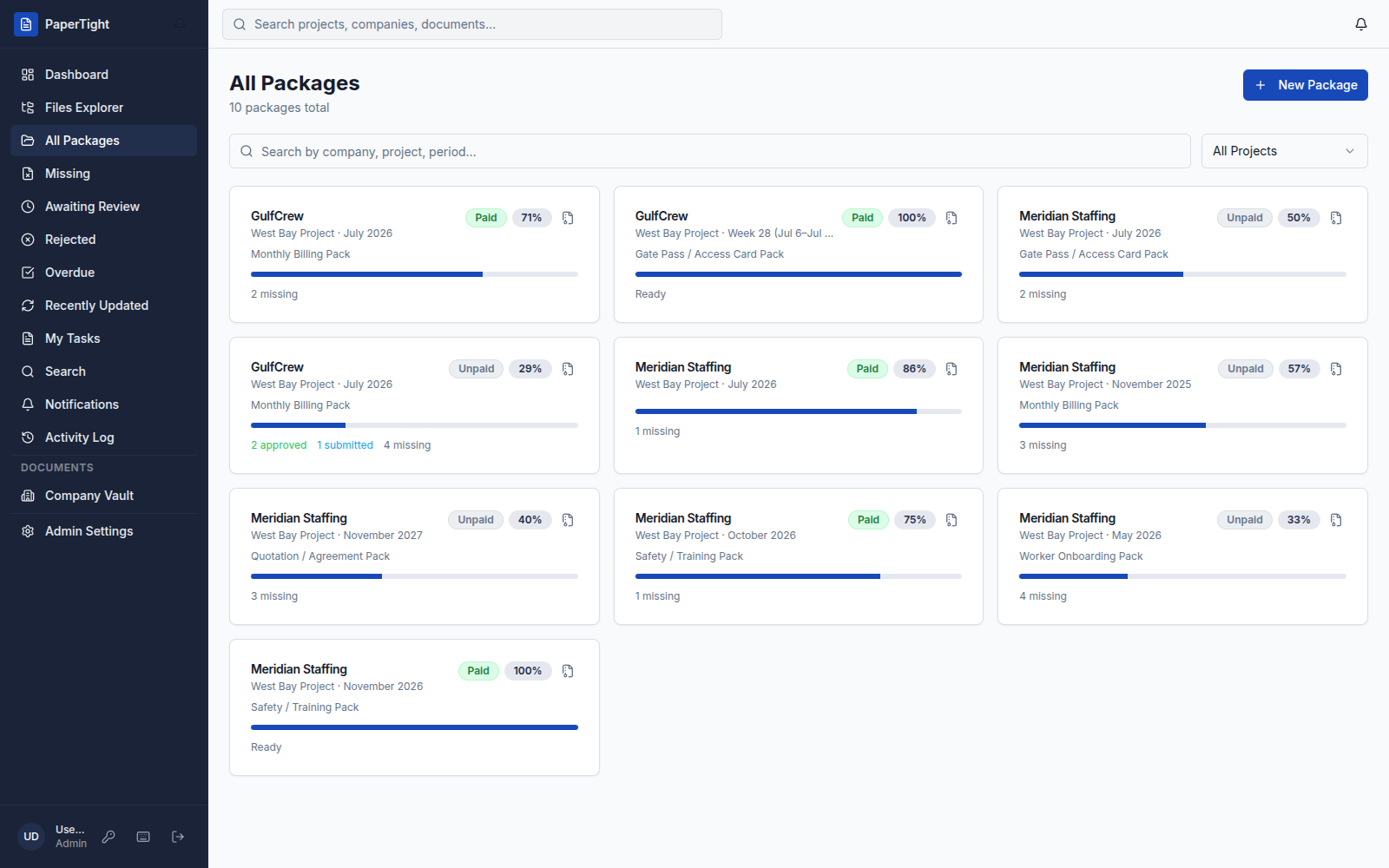
Every package across projects and companies in one list — each with a readiness bar and a Paid or Unpaid status.
A document control workflow is the path every document follows from arrival to sign-off: uploaded to its slot, into the review queue, approved or sent back for revision — and its package moves closer to ready.
PaperTight runs the whole flow in one place, so nothing is marked done until the right person approves it. Every screen below is the real app.
Some of the flows teams reach for first — click into any one to see it in the live demo.
Every package across projects and companies in one list — each with a readiness bar and a Paid or Unpaid status.
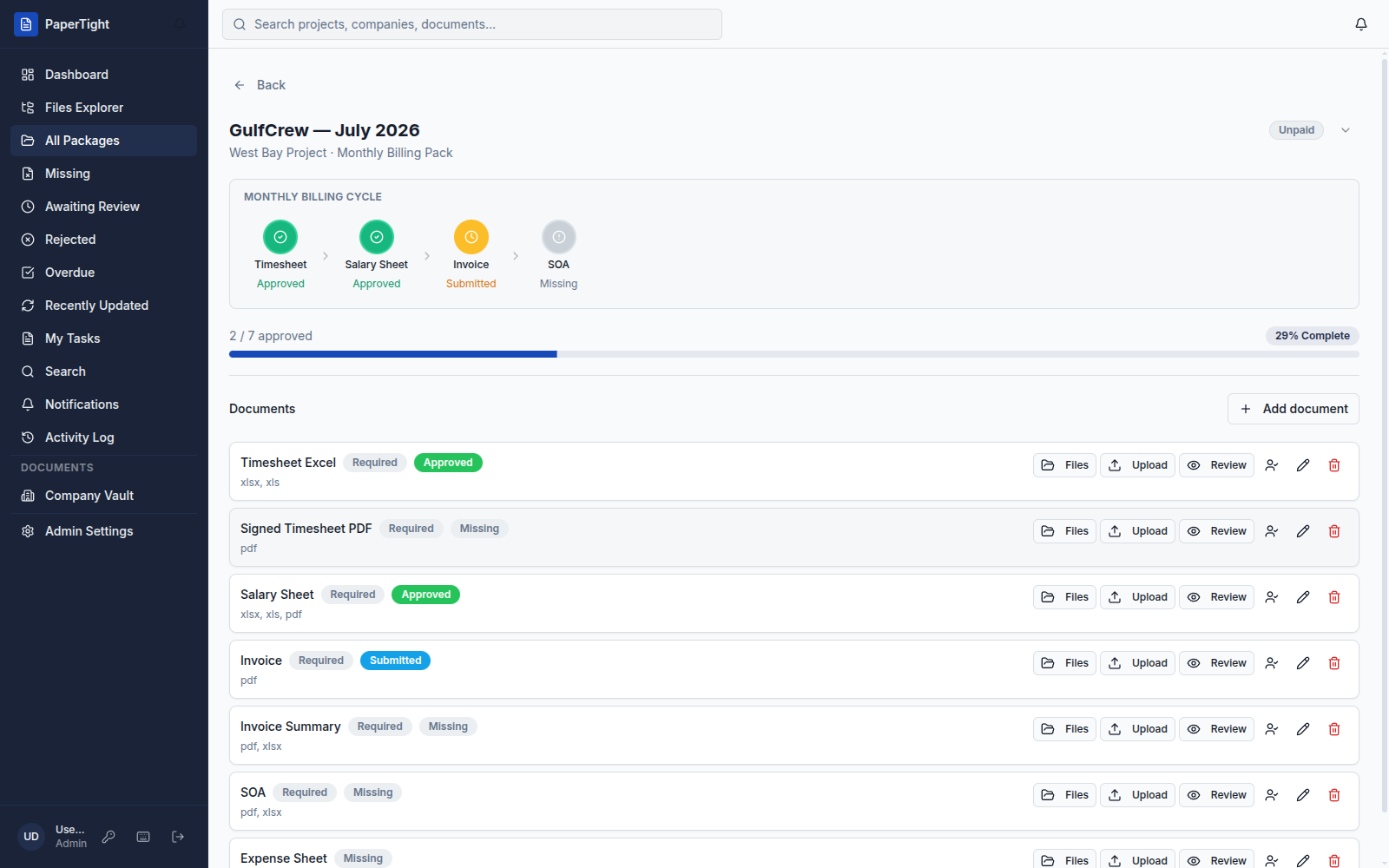
Open a package and watch it move to done — a readiness bar, an N / M approved counter, and every cycle stage from Timesheet to SOA.
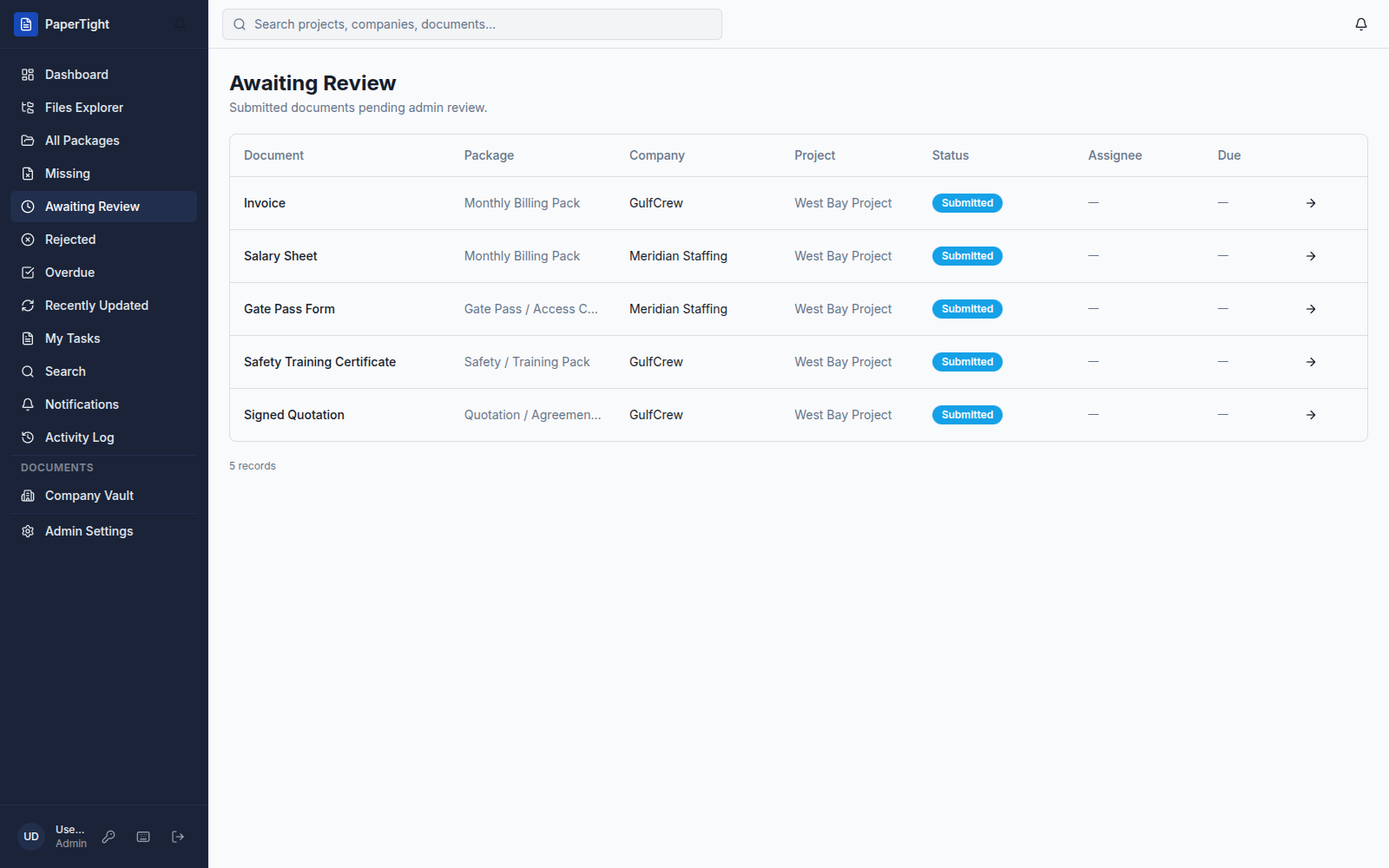
Work the Awaiting Review queue and approve, reject, or request a revision with a comment — or clear a whole batch with bulk actions.
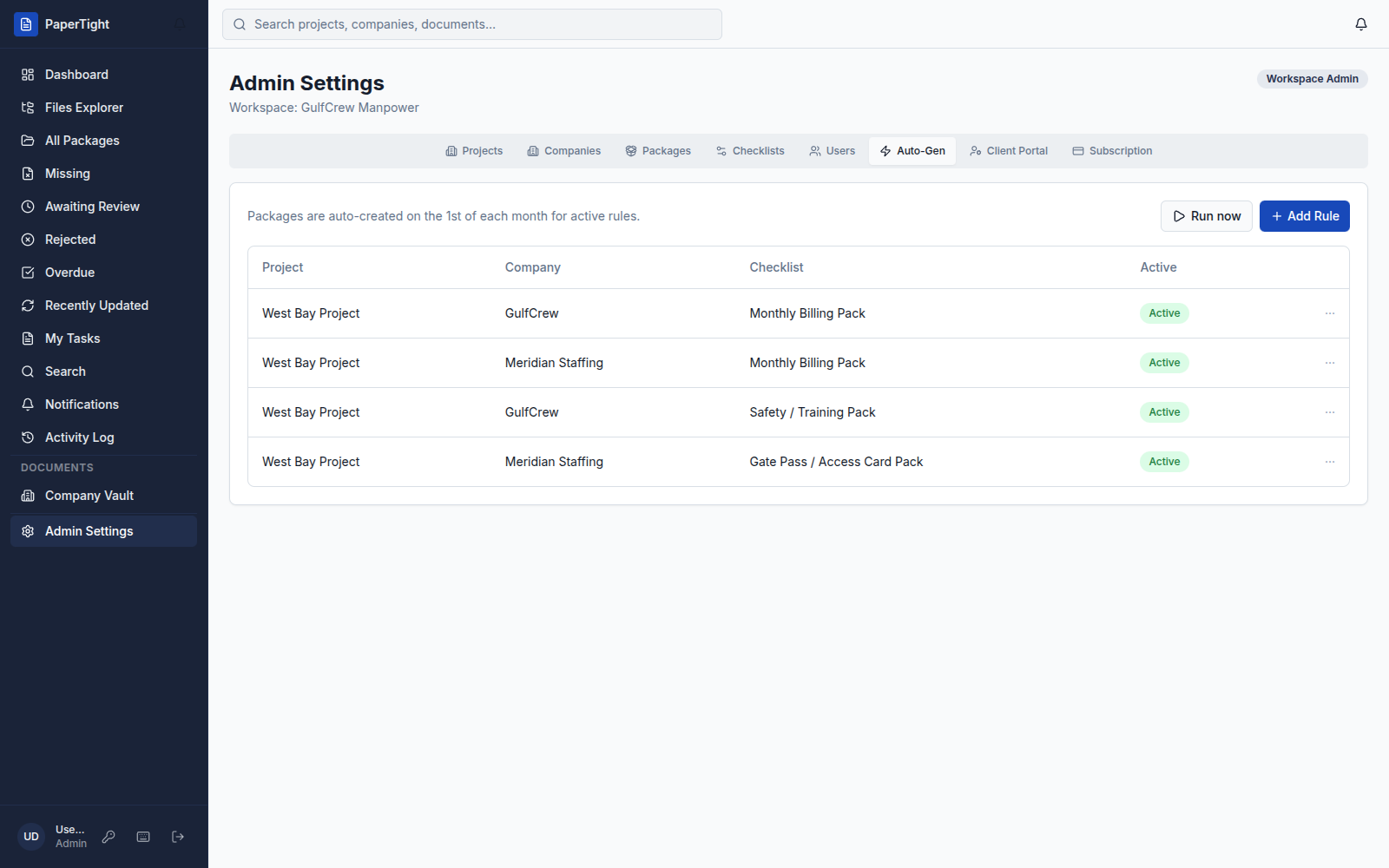
Set Auto-Gen rules by project, company, and checklist, and PaperTight opens next month's packages for you on the 1st.
Begin at the dashboard: Packages Due This Week, Overdue Documents, Awaiting Review, and My Open Tasks, all in one view.
Recent Activity · Amina R. approved the Timesheet — Meridian Staffing
Store permanent company files — agreements, POs, and gate pass forms — in the Company Vault, kept apart from period packages.
Kept apart from monthly packages
Give every client a scoped login that shows only their own company's documents. Portal users are always free.
Scoped to GulfCrew only · portal users free
Every upload is kept as a version, and the Activity Log records who did what, and when — a full audit trail.
“Every subcontractor's paperwork finally lands in one place — and we approve the whole monthly pack in a single pass instead of digging through email.”
4
stages in one Monthly Billing Pack — Timesheet → Salary Sheet → Invoice → SOA.
0
portal seats counted — client-portal users are always free.
3
days free trial on every paid plan, no card required.
A document control workflow is the sequence a document moves through from upload to approval: it is submitted to its document slot, reviewed, then approved or rejected, and only an approved document marks its slot done. PaperTight tracks each document’s status — missing, submitted, approved, rejected, or overdue — the whole way through.
When a reviewer rejects a document or requests a revision, they can leave a comment explaining what needs to change, and the slot returns to the person responsible for a fresh upload. The rejected item surfaces in its own queue so it is not lost, and every new upload is kept as a separate version.
Instead of opening documents one at a time, you can select a batch in the Awaiting Review queue and approve or reject them in a single pass with bulk actions — useful when a whole monthly package arrives at once.
Auto-Gen rules — set by project, company, and checklist — open the right packages automatically on the 1st of each month, and you can also trigger one immediately with Run now.
Want to see the workflow mapped to a specific team? Explore solutions for document-heavy teams, or dig into the full product.