Subcontractor & vendor document management
Subcontractor document management,
one package a month.
Subcontractor document management software is how a contractor collects, reviews and approves the recurring paperwork every vendor owes each period — timesheets, salary sheets, invoices and SOAs — in one place instead of chasing email and WhatsApp.
PaperTight gives each subcontractor their own package and portal, tracks readiness as files arrive, and keeps every approved version.
Cut the chase
Move faster, cut the chase.
The work of gathering a client pack rarely lives in one place — it is spread across inboxes, chat threads and a spreadsheet someone keeps by hand. PaperTight pulls it into one flow.
See how it works →What the chase costs today
- ✓Chasing timesheets by email and WhatsApp
- ✓Re-checking which version is the latest
- ✓Building a tracker to see what is still missing
- ✓Forwarding approved files to the client
Illustrative — figures reflect what teams typically report, not a measured guarantee.
Why it adds up
Three things change in the first month.
Collect & review
How do subcontractors submit their documents?
Each subcontractor signs in to their own client portal and uploads files straight into the document slots you have set up — a Timesheet slot, a Salary Sheet slot, an Invoice slot.
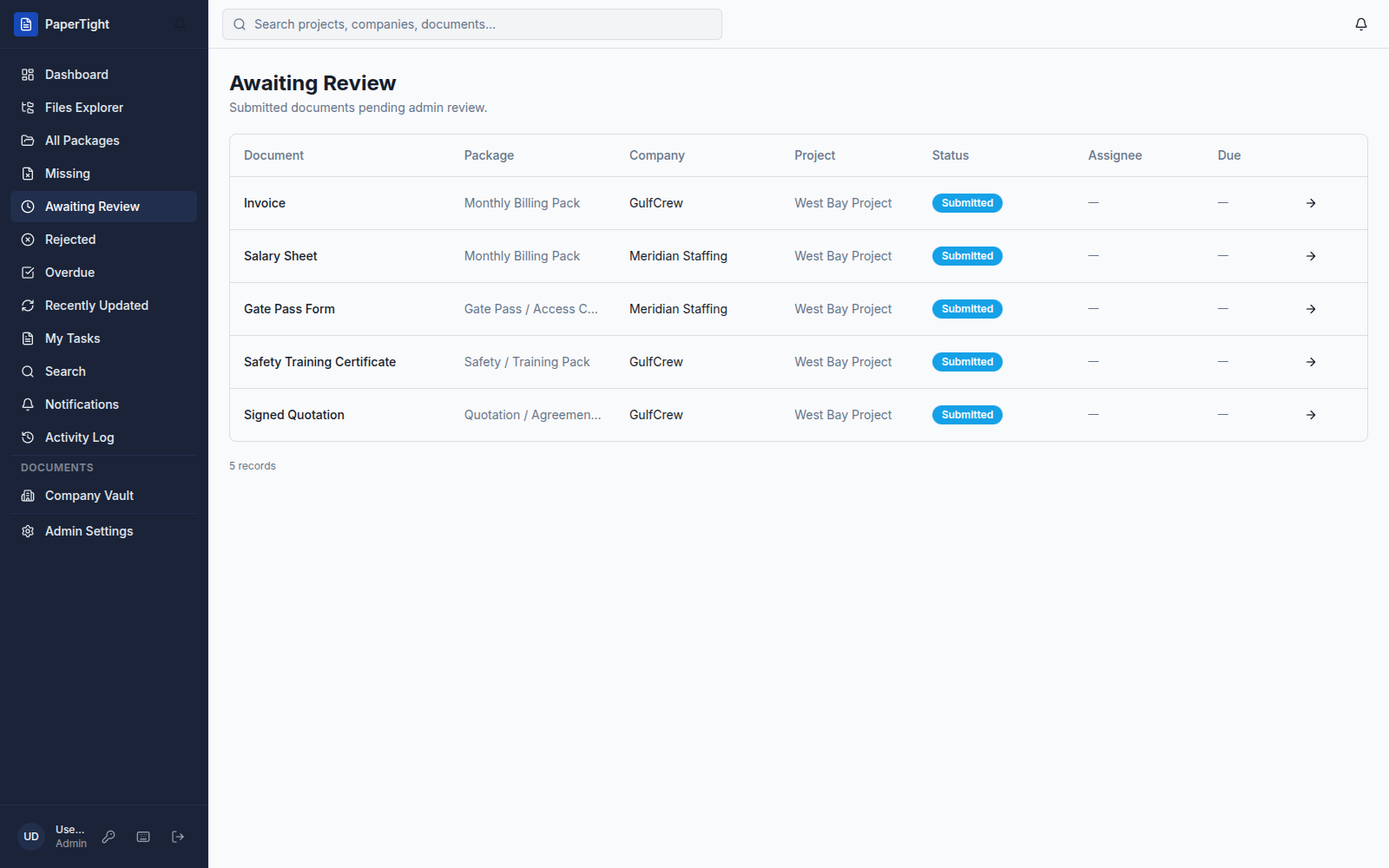
You review each upload, approve it or reject it with a comment, then share the finished pack. Nothing arrives as a loose email attachment to rename and file.
Take the product tour →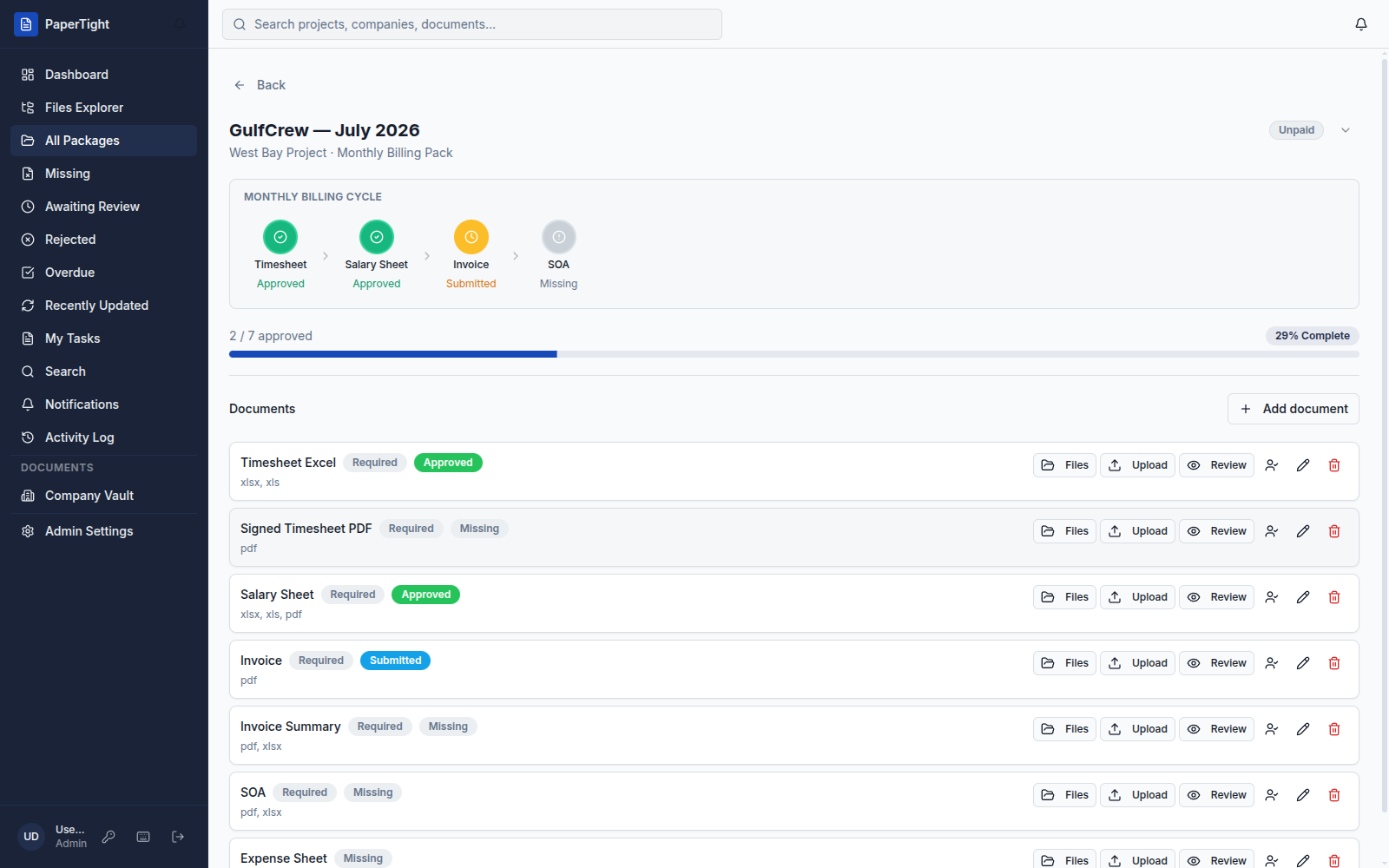
Every period, automatically
How do you collect documents from vendors every month?
PaperTight collects recurring vendor documents with Auto-Gen rules and reusable checklists. A rule pairs a project, a company and a checklist, then opens that vendor’s package on the 1st of every month — no one has to remember to start it.
As files come in, every package shows a readiness bar and an “N of M approved” count, and the review queue gathers everything waiting on your team.
See the full document-control workflow →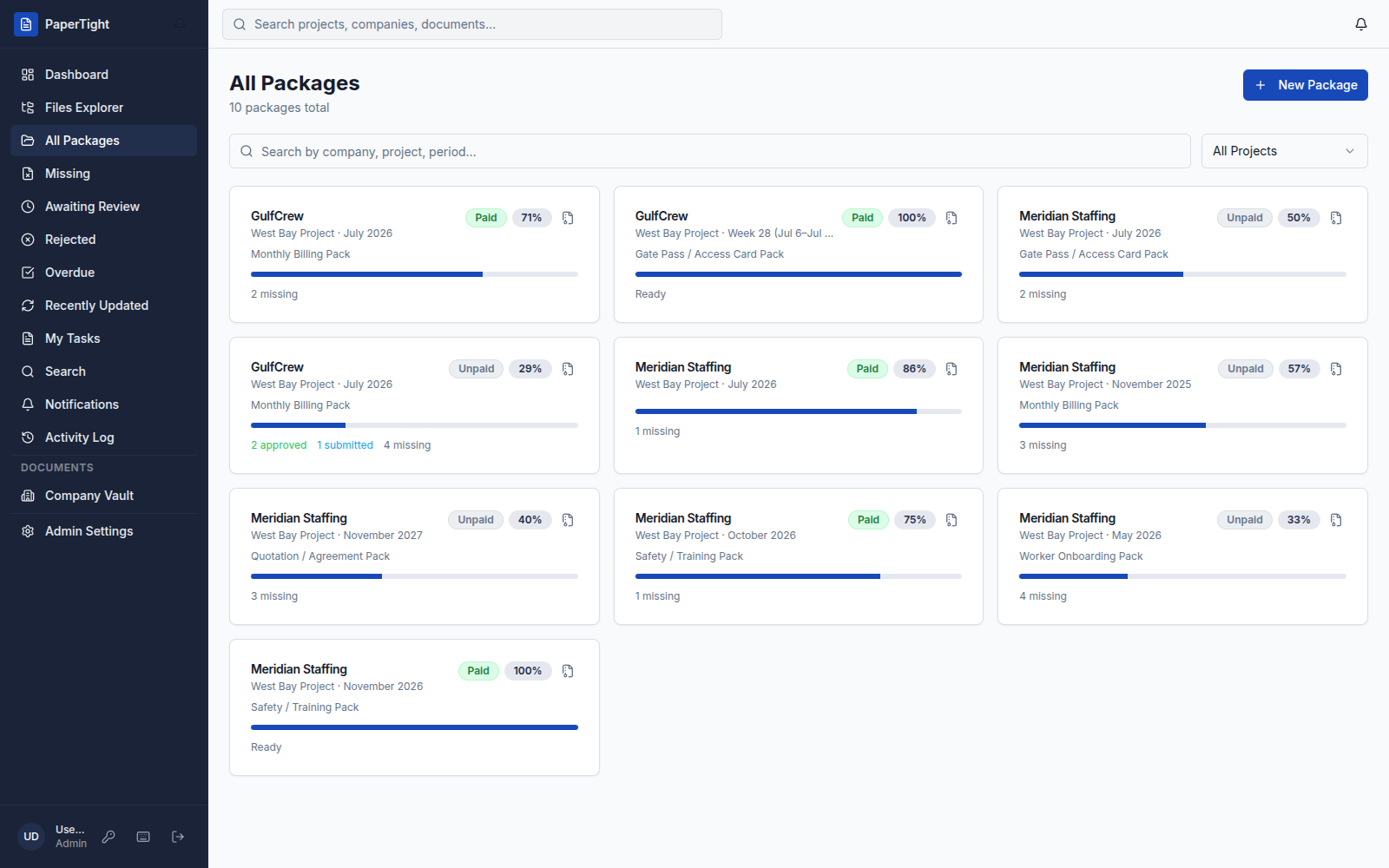
“Every subcontractor uploads into their own package now. We used to rebuild the same tracker every month — now the readiness bar tells us what is left, and we approve the whole pack in one pass.”
Amina Rashid
Operations Lead, GulfCrew Manpower
What you get
Built for the way client packs actually move.
Auto-Gen packages
Pair a project, a company and a checklist. Every period’s package opens itself on the 1st — no one has to remember to start it.
Review, and reject with a reason
Approve what is right and reject what is not — with a comment. The company re-submits a new version; the old one stays in the history.
A portal for every client
Clients sign in and see only their own company’s documents — they upload, you review. Portal users are free and never count as members.
Company Vault
Keep the permanent files — agreements, POs, Iqama copies, gate pass forms — at the company level, separate from each period’s package.
“When a document is wrong we reject it with a comment instead of starting another chat thread. Our clients upload straight into their own portal, and every version is kept — so nothing gets lost between months.”
Daniel Okafor
Finance Manager, Meridian Staffing
Day one
Getting started.
Bring one client pack into PaperTight first, then roll it out to the rest. Here is what you get on day one.
3-day free trial
Every paid plan starts with a 3-day free trial — set up a project, invite a company, and run a real pack before you decide.
Request a demo →Start on Starter
Run your first projects, a handful of companies, and a small team on the Starter plan with packages, document slots and approvals — flat AED pricing.
Compare plans →Bring your checklists
Start from the standard checklist templates and adapt them to how your team already works:
- Monthly Billing Pack
- Gate Pass / Access Card Pack
- Quotation / Agreement Pack
- Safety / Training Pack
- Worker Onboarding Pack
Request a demo
See PaperTight run a real monthly pack, end to end.
Security & data
How workspaces are isolated and your files are handled.
Questions & answers
How do vendors upload their own documents?+
Each vendor or subcontractor signs in to their own client portal and uploads files straight into the document slots you have set up — a Timesheet slot, a Salary Sheet slot, an Invoice slot and so on. You review each upload and approve it or reject it with a comment; there is no email attachment to download, rename or file by hand.
What is a document submission portal?+
A document submission portal is a scoped login where a vendor or subcontractor sees only their own company’s required documents and submits them directly, instead of emailing files back and forth. In PaperTight the portal shows each company its open packages, what is still missing, and the status of everything it has already sent.
Do subcontractors have to pay for portal access?+
No. Client-portal users are free and unlimited — they never count toward the member limit on your plan. You can invite every subcontractor and vendor you work with to their own portal at no extra cost.
How do you collect documents from vendors every month?+
PaperTight collects recurring documents with Auto-Gen and checklists. An Auto-Gen rule pairs a project, a company and a checklist (for example a Monthly Billing Pack), then opens that vendor’s package automatically on the 1st of every month so the same document set is requested every period without anyone remembering to start it.
Can each subcontractor see only their own documents?+
Yes. The client portal is scoped per company — every subcontractor signs in and sees only their own documents and packages, never another company’s files. Your workspace stays the single place where your team reviews and approves everything.
What documents can I collect from subcontractors?+
You can collect any recurring paperwork a subcontractor owes: timesheets, salary sheets, invoices, statements of account (SOAs), gate pass and access-card forms, and worker onboarding documents. Permanent files like agreements, purchase orders and ID copies live in the Company Vault, separate from each period’s package.
What happens to a document we reject?+
When you reject a document you leave a comment explaining why. The subcontractor sees the reason in their portal and re-submits a corrected file as a new version — the earlier version stays in the history, nothing is overwritten.
Still weighing it up? Request a demo, compare the plans or read the blog.